This week, 4 different Z-Image Turbo fine-tunes are sitting at the top of Civitai’s download charts, each with between 46,000 and 52,600 downloads in 7 days — a real fine-tune war, not a made-up trend. We downloaded all 4 and tested them with the same prompt, the same seed, and the same parameters we use with the official checkpoint, to see what actually changes and what’s just marketing in the model’s name.
At a glance: the 4 fine-tunes
| Checkpoint | Author | Downloads (7 days) | Size | Link |
|---|---|---|---|---|
zimageTurboByStable_2603Fp8 | Stable Yogi | 52,547 | 5.7GB (fp8) | Civitai |
intorealism_zitV70 | — | 50,816 | 5.7GB (fp8) | Civitai |
moodyRealMix_xhsEdition | — | 50,571 | 5.7GB (fp8) | Civitai |
unstableRevolution_V3Fp16 | — | 46,154 | 11.5GB (fp16, no fp8 version) | Civitai |
Access note: 3 of the 4 (everything except unStable Revolution) require being logged in to Civitai to download — if you’re automating this, you’ll need a personal API key.
VRAM note: based on the ComfyUI log during this test, the CLIP (qwen_3_4b) stages ~7.7GB and unStable Revolution’s fp16 UNet ~11.7GB — together, ~19.4GB before counting the VAE (~160MB). The 3 fp8 fine-tunes stay closer to ~5.9GB of UNet. We didn’t monitor the real peak with everything loaded at once, so treat this as indicative, not a guaranteed minimum VRAM figure.
Reference: official Z-Image Turbo checkpoint
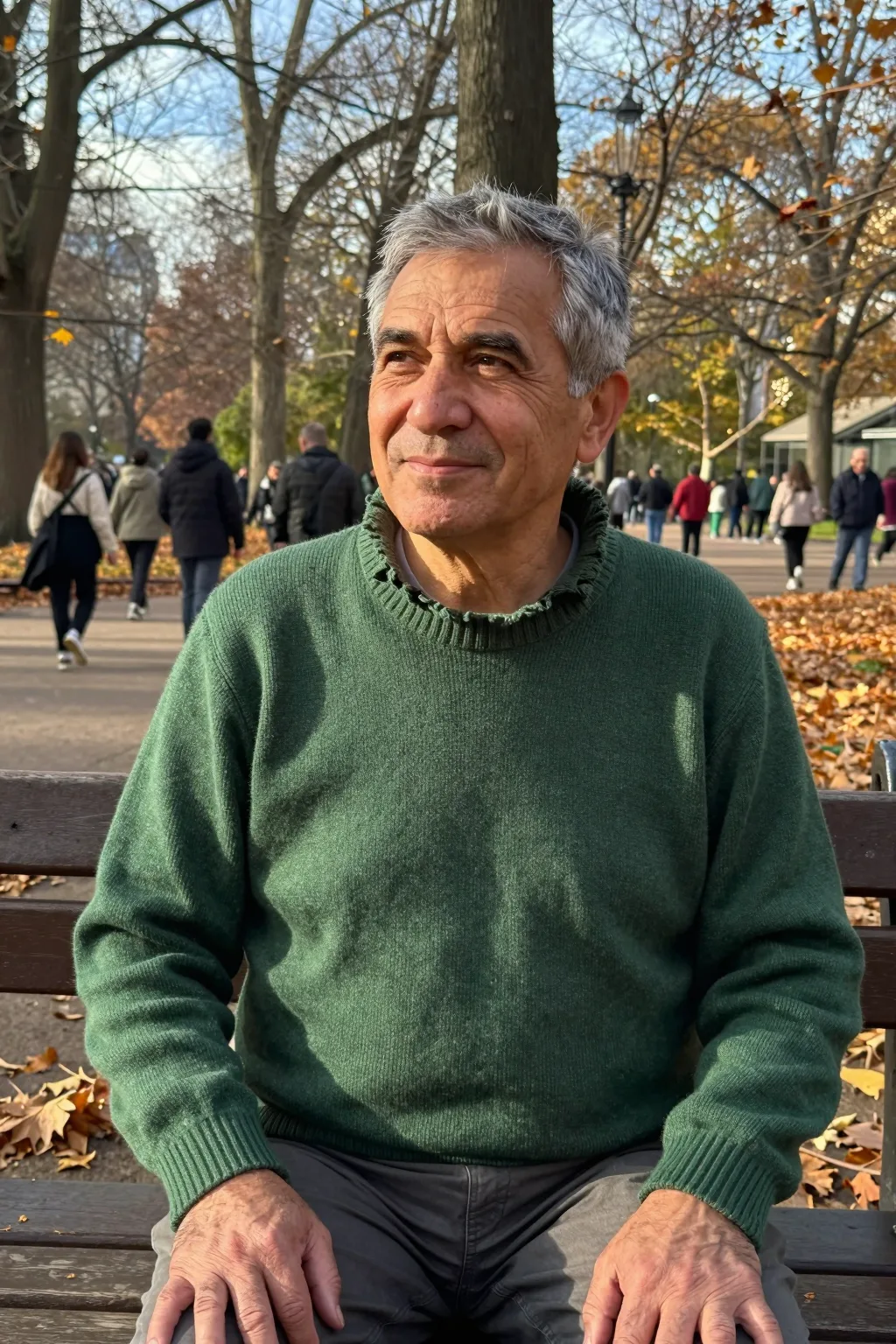
z_image_turbo_bf16.safetensors, official. Side-profile gaze, exactly as the prompt asks.
Methodology: same prompt, same seed, one variable
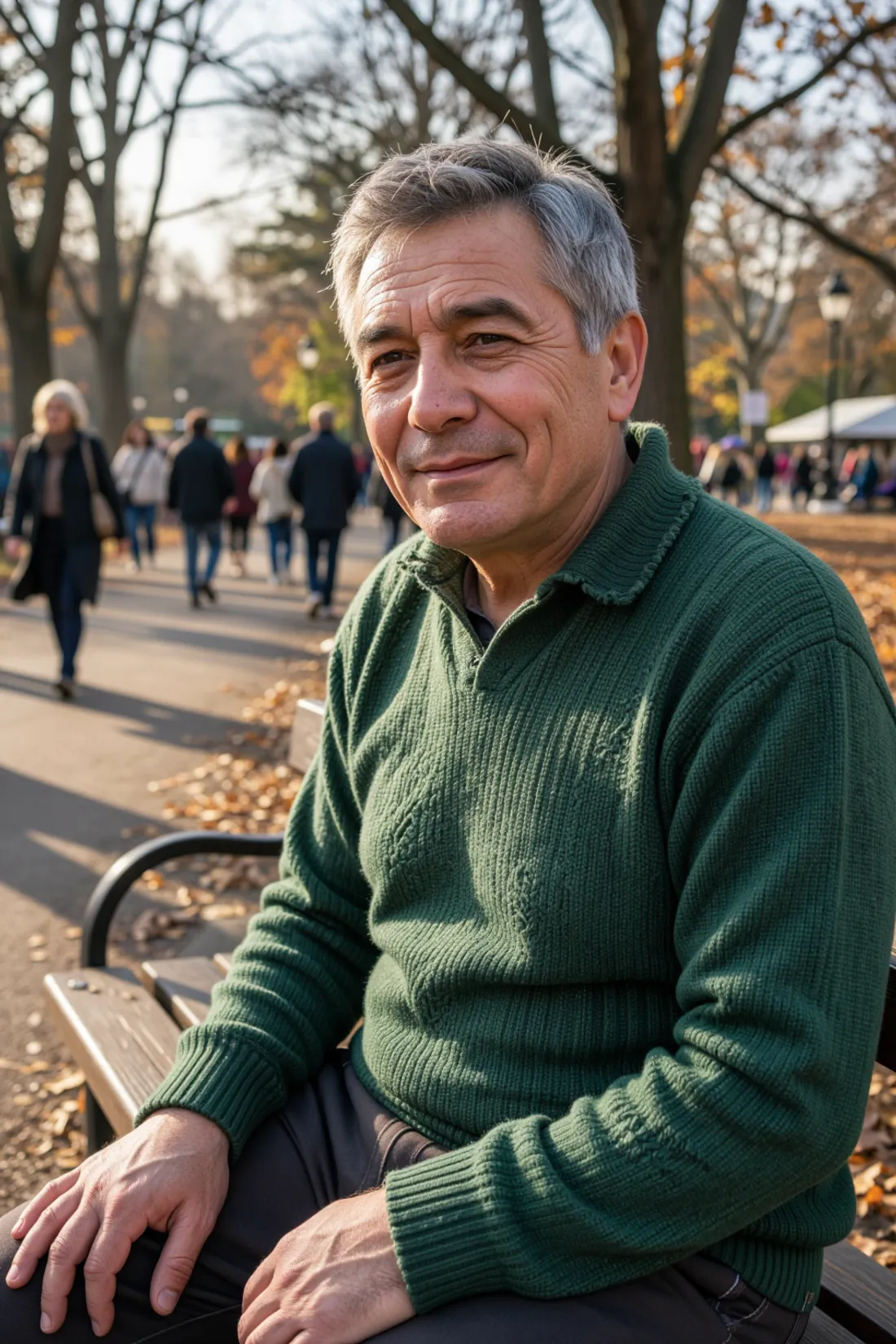
- Same prompt: a middle-aged man sitting on a park bench in autumn, wearing a green wool sweater, looking slightly to one side — structured in blocks (medium, subject, action, wardrobe, setting, lighting, skin, camera) as flowing prose, not a keyword list.
- Same seed:
314159. - Same KSampler parameters: 12 steps, cfg 1.0,
euler/sgm_uniform, denoise 1.0 — the recommended settings for Z-Image Turbo. - Same CLIP and VAE:
qwen_3_4b.safetensorsandae.safetensors, untouched, across all 5 cases. - Variable between images: only the file loaded in the
UNETLoadernode.
That way, any difference between the 5 images comes exclusively from the checkpoint, not from the prompt, the seed, or the rest of the pipeline.
⚠️ Limitation of this test: we generated a single image per checkpoint (one seed). That’s not enough to reliably claim which one is “more realistic” — that would need a blind panel across multiple seeds per checkpoint. What is a valid observation with a single seed is whether a checkpoint changes the composition (pose, gaze, framing) relative to the official one, because that change is deterministic given the same initial noise.
The real finding: 2 of the 4 change the pose, not just the skin
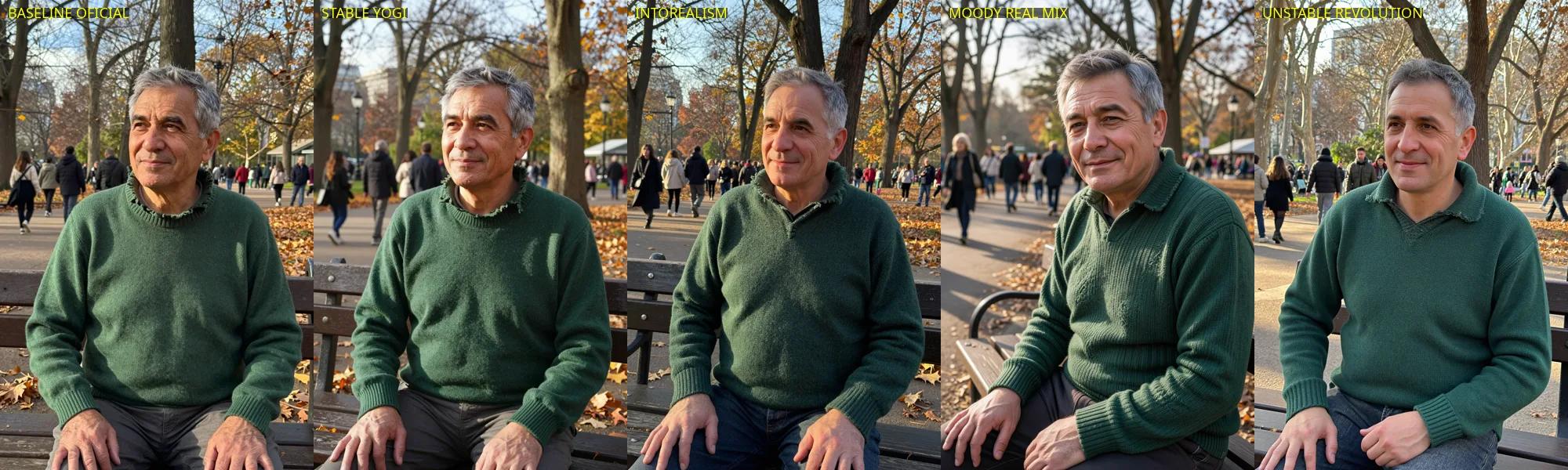 All 5 versions side by side. Watch the gaze and framing, not just the skin.
We expected to find skin-texture or color-tone differences — the usual story when comparing fine-tunes of the same base checkpoint. What we found was more interesting:
Stable Yogi and IntoRealism reproduce the official checkpoint’s composition almost exactly: the man looking to the side in profile, the same framing, the same blurred crowd in the park background. With an identical seed, the result is close to a skin/color-tone change, which is what you’d expect from a well-made fine-tune of the same base checkpoint.
Moody Real Mix and unStable Revolution, on the other hand, change the pose: in both, the subject looks directly at the camera and smiles, instead of looking to the side as the prompt requested. Moody Real Mix also clearly shrinks the depth of field — the park background is much blurrier than in the other 4 versions, despite the prompt specifying the same camera lens (85mm f/1.8) in all 5 cases.
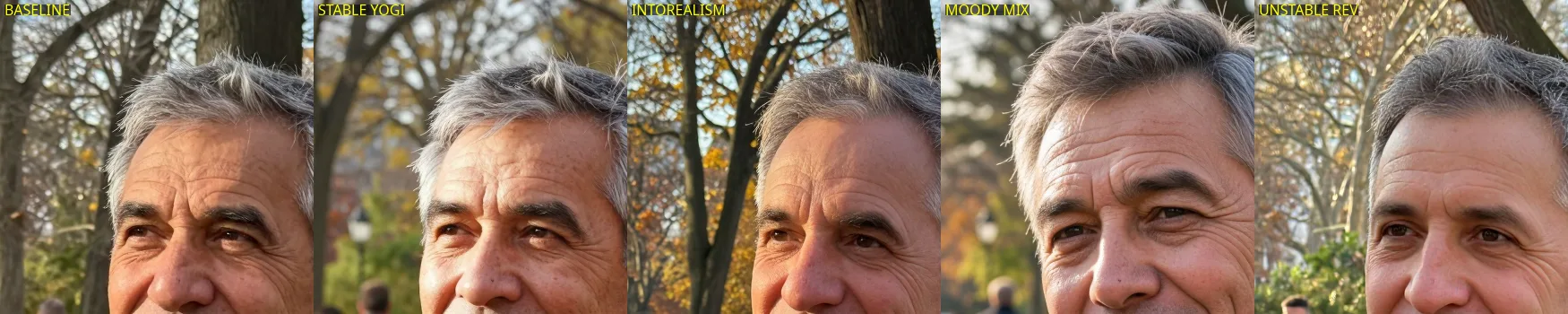 Face zoom: the gaze and expression change noticeably in Moody Real Mix and unStable Revolution, not just skin detail.
Why this happens (reasoned explanation, not confirmed against training data)
The seed only fixes the initial latent noise before the first sampling step — it doesn’t fix the final composition. The checkpoint (the trained weights) is what decides how to “read” that noise together with the prompt at every step. If a fine-tune’s training dataset has more camera-facing photos than the original, it’s reasonable to expect the fine-tuned model to push generation toward that composition even when the prompt explicitly asks for the opposite. We don’t have access to Moody Real Mix’s or unStable Revolution’s training dataset to confirm this — it’s the most likely explanation given what we observed, not a fact verified against their actual training process.
Micro-conclusion: which one should you use?
- If you want fine-grained composition control via the prompt (exact pose, gaze, framing):
Stable YogiorIntoRealism— they best respect what you ask for, changing the base checkpoint’s interpretation the least. - If you’re after portraits with more subject presence and strong bokeh, without needing exact pose control:
Moody Real Mix— more “editorial” results, but less predictable. - Before picking blind by name or download count: test your own prompt against all 4 and compare — Stable Yogi’s 52,000 downloads don’t mean it reproduces your exact composition better, just that it’s the most popular this week.
How to replicate this in your own workflow
Reuse your current Z-Image Turbo workflow: the only change is the unet_name in the UNETLoader node. CLIPLoader (qwen_3_4b.safetensors, type qwen_image) and VAELoader (ae.safetensors) stay the same in all 5 cases — these fine-tunes are pure UNet diffusion checkpoints (no CLIP or VAE included), not “all-in-one” checkpoints.
"UNETLoader": {
  "inputs": {
    "unet_name": "zimageTurboByStable_2603Fp8.safetensors",
    "weight_dtype": "default"
  }
}
Swap unet_name for whichever fine-tune you want to try and keep the rest of your graph unchanged.
Keep reading
If you’re torn between the fp8 and fp16 versions of these fine-tunes (only unStable Revolution forces fp16, the other 3 offer fp8), check our GGUF vs bf16 comparison on RTX 3090 to understand the real VRAM-vs-speed tradeoff before choosing.
🏆 Our recommendation
If you only have time to try two: Stable Yogi to keep control of the composition you ask for in the prompt, and Moody Real Mix if you want to see the opposite extreme — more editorial character, less fidelity to what you asked for. Either way, don’t assume a “more downloaded” fine-tune reproduces your exact prompt better — test it with your own seed before committing.
Next steps in ComfyUI
Getting started
FAQ
- Why do checkpoints produce different poses with the exact same seed?
- Because the seed only fixes the initial latent noise -- the checkpoint (the trained weights) decides how to interpret that noise together with the prompt. A fine-tune trained on a dataset with more camera-facing photos can shift the interpretation of the same prompt+seed toward that composition, even when the prompt doesn't ask for it. That matches exactly what we saw with Moody Real Mix and unStable Revolution.
- Which of the 4 Z-Image Turbo fine-tunes is 'the most realistic'?
- We didn't determine that in this test -- comparing realism reliably would need multiple seeds and probably a blind panel, not one image per checkpoint. What we did verify with a single seed is that Moody Real Mix and unStable Revolution change the composition (pose, gaze, depth of field) relative to the official checkpoint; Stable Yogi and IntoRealism stay very close to the original.
- Do I need the official Z-Image Turbo checkpoint to use these fine-tunes?
- No. All 4 are standalone diffusion checkpoints (UNet-only format, no CLIP or VAE included) loaded with the same UNETLoader node as the official one. Reuse the same CLIPLoader (qwen_3_4b) and VAELoader (ae.safetensors) from your current workflow -- only the UNETLoader file changes.
- Where do you download each fine-tune, and how big are they?
- All 4 are on Civitai (links in this article's table). 3 of the 4 (Stable Yogi, IntoRealism, Moody Real Mix) require being logged in to Civitai to download -- generate an API key at civitai.com/user/account if you're automating the download. They range from 5.7GB (fp8) to 11.5GB (fp16, unStable Revolution has no fp8 version) each.