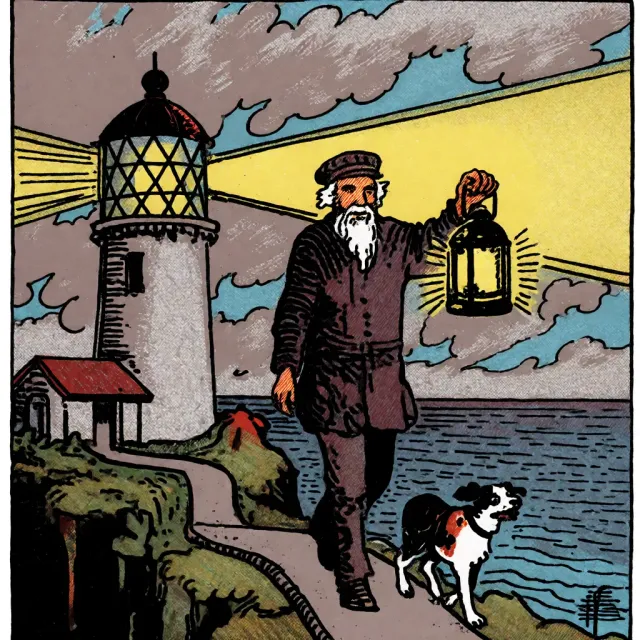
“Just write a good prompt” stopped being true a while ago. Modern ComfyUI workflows combine text with reference images, masks, poses and other signals to control exactly what changes and what stays fixed in a generation. The problem is that not every conditioning technique works with every model, and the only way to know is to test it. So we tested three real techniques with Krea 2 Turbo on an RTX 3090 — pure prompt, reference image, and inpainting mask — and one of the three did absolutely nothing.
At a glance: what we tested and what happened
| Technique | Key node | Result |
|---|---|---|
| Text prompt | CLIPTextEncode | Works as baseline |
| Reference image | ReferenceLatent | ❌ No effect — identical to baseline (diff=0) |
| Mask / inpainting | VAEEncodeForInpaint + ImageToMask | ✅ Worked perfectly, clean change limited to the masked area |
| Pose / ControlNet | — | Not tested in this session (see limitations) |
Methodology: same prompt, same seed, one variable at a time
Same approach as our Krea 2 style LoRA comparison: isolate a single variable per test.
- Same checkpoint: Krea 2 Turbo fp8_scaled, same text encoder (
qwen3vl_4b_fp8_scaled.safetensors) and VAE (qwen_image_vae.safetensors) across all three tests. - Same seed:
918273645. - Same KSampler parameters: 8 steps, cfg 1,
euler/simple. - Only change: the conditioning technique applied on top of the same base prompt.
Test 1: pure text prompt (baseline)
Prompt: “cinematic photograph of a red vintage bicycle leaning against a brick wall covered in ivy, golden hour light, shallow depth of field, sharp focus, 35mm photography, high detail”.
 Result with only
 CLIPTextEncode, no other conditioning. This is the starting point we compare test 2 against.
No surprises: the model interprets the prompt reasonably well. This image is the baseline we compare against test 2.
Test 2: reference image with ReferenceLatent — the negative finding
ReferenceLatent is a node that lets you inject a reference image (encoded as a latent) into the conditioning, so the model leans on it while generating. In theory it should influence the result — style, composition or content, depending on how the model was trained to use that signal.
We picked a reference image completely unrelated to the prompt (the purple/cyan ARGB GPU desk scene from our camera transfer article), wired it through VAEEncode → ReferenceLatent, and generated with the same bicycle prompt and same seed.
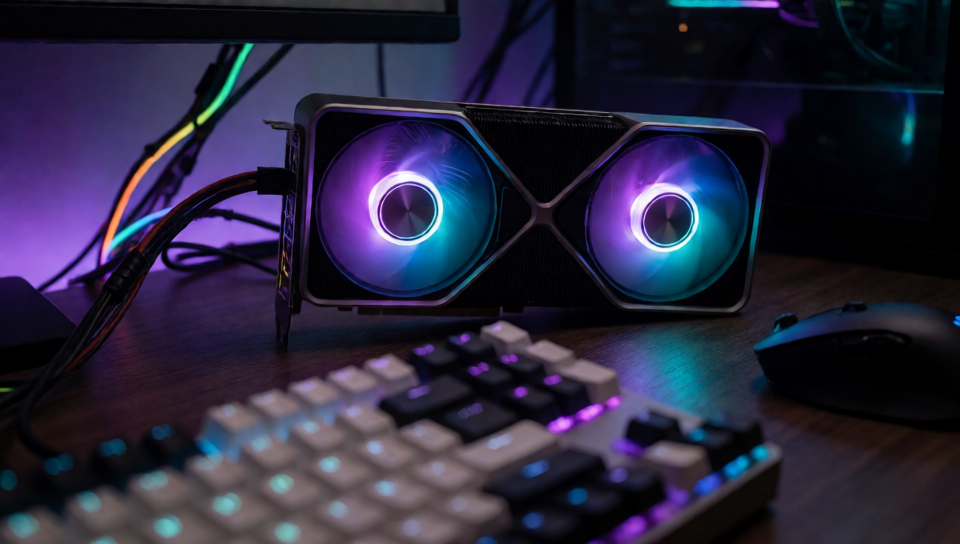 The reference image wired through ReferenceLatent — completely unrelated to the bicycle prompt, so any real influence would be easy to spot by eye.
Result: the generated image was pixel-for-pixel identical to test 1. We confirmed this with a direct numeric diff between both PNG files:
diff = abs(prompt_only_image - reference_conditioned_image)
# max diff: 0, mean diff: 0.0, identical: True
Zero difference. The node ran without any error, but Krea 2 Turbo never actually used the reference latent.
Why, exactly: we checked ComfyUI’s source code (comfy/model_base.py) instead of stopping at speculation. The Krea2 class implements its own extra_conds() method, and that method only reads the cross_attn key from the conditioning — it never calls kwargs.get('reference_latents', ...). The Flux class (which Krea 2 doesn’t inherit from, despite sharing the SingleStreamDiT architecture and having model_type set to ModelType.FLUX), on the other hand, does read that key and turns it into a real signal (ref_latents) that reaches the network. The ReferenceLatent node correctly writes the reference_latents key into the conditioning, but Krea 2’s specific implementation never picks it up — which is why the diff comes out at exactly zero, not a small difference. It’s not that “the model learns to ignore it”; the code simply never looks at it.
⚠️ What this means: a conditioning node existing and wiring up without errors doesn’t guarantee the model actually uses it — it depends on whether that specific model’s Python class implements reading that key. If you wire up a conditioning node and the result doesn’t change at all, before assuming your graph is broken, check with a pixel diff whether there’s really no effect — a very subtle change might be hard to spot by eye, but a diff of zero is unambiguous.
👉 What we learned: running without errors isn’t the same as working. Verifying with data (here, a pixel diff) is the only way to be sure a conditioning is actually having an effect.
Test 3: mask and inpainting — this one worked
For the third test we reused the typewriter image from our bf16 vs GGUF article as the base, and built a rectangular mask over the window area (white = regenerate, black = keep unchanged).
Graph: LoadImage (base image) + LoadImage (mask) → ImageToMask (red channel) → VAEEncodeForInpaint (with the image, the mask and grow_mask_by: 6) → KSampler at denoise 0.85 on that latent → new prompt describing a starry night sky with a skyline instead of the original rain.
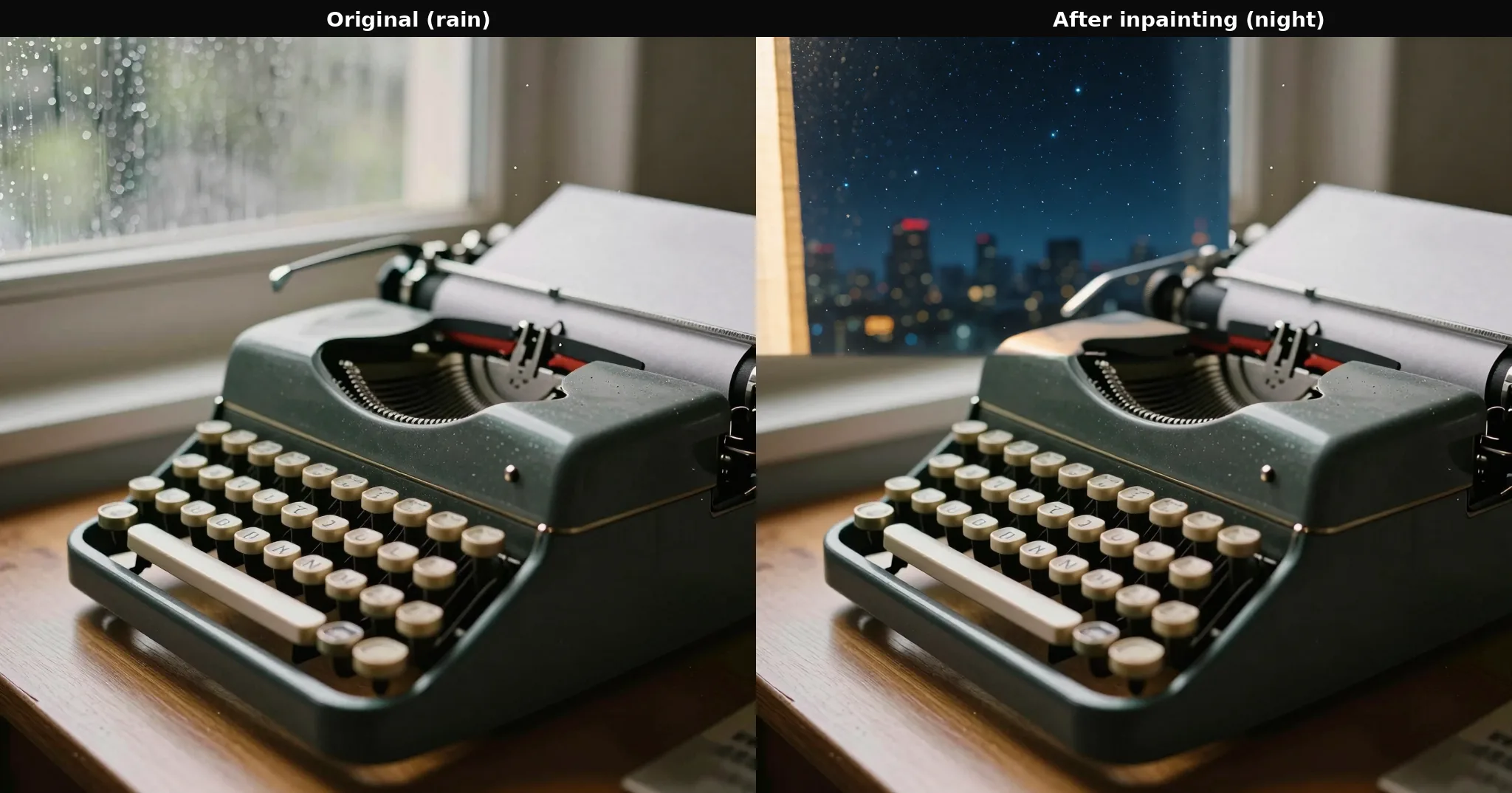 Left: original image (rainy window). Right: after inpainting, only the window changed — typewriter, desk and keys remain visually identical.
Result: clean. The window went from a rainy day to a night sky with lit skyscrapers, and the rest of the composition — the typewriter, the wooden desk, the loaded paper — stayed unchanged as far as we could tell. No visible seams at the mask edge.
👉 What we learned: unlike ReferenceLatent, mask-based inpainting is a robust technique that worked on the first try with a standard checkpoint, no editing-specialized model required.
Why one worked and the other didn’t
The difference isn’t random: mask-based inpainting works mechanically on the latent space (the mask tells KSampler which region it’s allowed to change; grow_mask_by simply dilates that boundary by a few pixels to avoid hard edges, it doesn’t add noise or touch the rest of the image beyond the VAE encode/decode round-trip the whole image goes through anyway), and it works the same way with any inpainting-compatible checkpoint, no special model understanding required. ReferenceLatent, on the other hand, depends on that specific model’s class in ComfyUI’s code implementing the reading of that conditioning key — as we saw above, Krea 2 doesn’t. The first is a property of the sampling process. The second is a property of each model’s code, present in some and absent in others.
Limitations of this test
- We didn’t test pose/canny/depth ControlNet in this session. It requires installing the
comfyui_controlnet_auxnode pack (with its own preprocessor model, e.g. DWPose) plus a ControlNet checkpoint — we didn’t have them installed and decided not to improvise that part just to complete the list. Left as a follow-up test. - We didn’t test
ReferenceLatentwith a model actually trained for editing (Flux Kontext, Qwen-Image-Edit) — we didn’t have them downloaded at the time of this test. We can’t confirm with our own data that this conditioning works on any model; we only confirmed that it has no effect on Krea 2 Turbo. - We tested inpainting with a simple rectangular mask. We didn’t test irregular mask shapes or
grow_mask_byvalues other than 6.
Frequently asked questions
Why didn’t ReferenceLatent change anything in my Krea 2 generation?
Because the Krea2 class in ComfyUI’s code never reads the reference_latents conditioning key — it only processes cross_attn. The Flux class, which Krea 2 doesn’t inherit from despite sharing its architecture, does read it. The ReferenceLatent node writes the key correctly, but Krea 2’s implementation never picks it up. We confirmed this by generating the same image with and without ReferenceLatent, same prompt and seed: the result was pixel-for-pixel identical.
Which models actually support ReferenceLatent in ComfyUI?
Whichever model class implements reading the reference_latents key inside extra_conds() — we confirmed in the source that the base Flux class does. We didn’t run generation with a model like that in this test (didn’t have one downloaded), so we don’t have our own image proving it visually; what we did confirm, from the code and the pixel diff, is that Krea 2 Turbo doesn’t read that key.
How do I edit just part of an image in ComfyUI without touching the rest?
With mask-based inpainting: load the base image, create or load a mask with ImageToMask, feed it into VAEEncodeForInpaint, and use that latent as the KSampler input with a denoise between 0.7 and 0.9. In our test, this changed only the window of a desk scene, leaving the typewriter untouched.
What denoise value should I use for inpainting in ComfyUI?
We used 0.85. Denoise 1.0 regenerates the masked area from pure noise, ignoring the original content entirely. Lower values (0.5-0.7) preserve more of the original structure, useful for subtle retouching.
Keep reading
If you want to see another reference-conditioning technique that does work (because it acts on the video itself, not inside the model), our camera movement transfer with IC-LoRA uses an external reference video to guide motion without depending on the checkpoint “understanding” the reference internally. And if you’re curious about the quantization of the model we used here, our bf16 vs GGUF comparison measures real VRAM and speed on Z-Image Turbo.
Conclusion: test before trusting a node
🏆 Our recommendation
If you need to edit a specific area without touching the rest → mask-based inpainting works reliably with any standard compatible checkpoint, no specialized editing model needed. If you want to condition by reference image → check first whether your checkpoint was trained for it (look for an “edit” or “Kontext” model); with a standard generation checkpoint like Krea 2 Turbo, the node might run without errors but do absolutely nothing.
The underlying lesson: in ComfyUI, a graph that runs without errors is no guarantee the conditioning is actually working. When the visual result looks suspiciously similar to the baseline, a pixel diff takes seconds and gives you an unambiguous answer.
Next steps in ComfyUI
Getting started
FAQ
- Why didn't ReferenceLatent change anything in my Krea 2 generation?
- Because the Krea2 class in ComfyUI's source code (comfy/model_base.py) never reads the reference_latents conditioning key -- we checked, and its extra_conds() method only processes cross_attn, unlike the Flux class (which Krea 2 doesn't inherit from, despite sharing its architecture), which does read it and turns it into a real signal for the network. The ReferenceLatent node writes the key correctly, but Krea 2's implementation never picks it up: it never reaches the generation. We confirmed the effect (or lack of it) by generating the same image with and without ReferenceLatent, same prompt and seed: the result was pixel-for-pixel identical (pixel diff = 0).
- Which models actually support ReferenceLatent in ComfyUI?
- Whichever model class implements reading the reference_latents key inside extra_conds() -- the base Flux class is a confirmed example, verified directly in the source. We didn't run an actual generation with such a model in this test (we didn't have one downloaded at the time), so we can't confirm with our own generation data that it visibly works; what we did confirm, from both the code and the pixel diff, is that Krea 2 Turbo doesn't read that key and doesn't respond to this conditioning.
- How do I edit just part of an image in ComfyUI without touching the rest?
- With mask-based inpainting: load the base image with LoadImage, create or load a mask (white = area to regenerate, black = area to keep) with ImageToMask, feed it along with the image into VAEEncodeForInpaint, and use that latent as the KSampler input with a denoise between 0.7 and 0.9 (not 1.0, or you'd lose the context of the unmasked area too). In our test, this changed only the window of a desk scene, leaving the foreground typewriter with no visible alteration.
- What denoise value should I use for inpainting in ComfyUI?
- We used 0.85 in this test. Denoise 1.0 regenerates the masked area from pure noise, completely ignoring the original content of that area (useful if you want a total change). Lower values (0.5-0.7) preserve more of the masked area's original structure, useful for subtle retouching instead of full replacement.