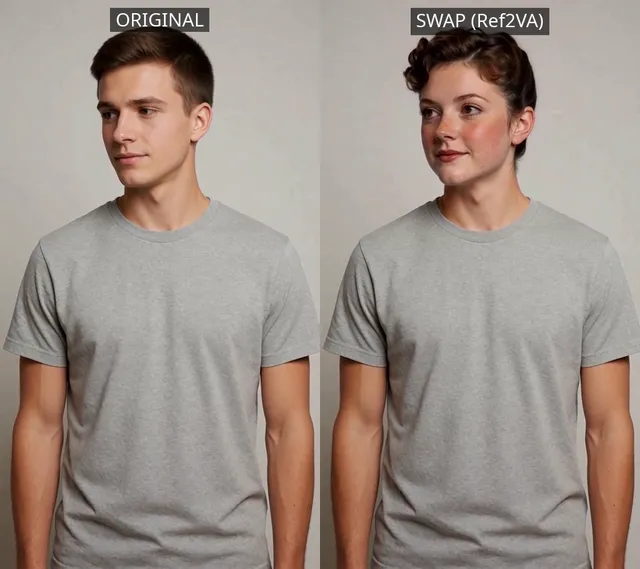
I tested SCAIL-2 in ComfyUI and found a production-ready character replacement workflow that runs entirely on native core nodes—no custom node packs required. This article documents what I actually encountered: a real, end-to-end test of the official Comfy-Org SCAIL-2 template running on consumer hardware (RTX 3090), the bugs I hit, which models you need, and what the output actually looks like.
Character replacement in video—swapping one person for another while keeping the scene, lighting, and motion intact—used to require specialized software or cloud APIs. ComfyUI’s native support for SCAIL-2, Z.AI’s character animation model, changes that entirely. Unlike simple face-swap tools, SCAIL-2 handles full-body replacement: it re-animates the reference character’s entire body to match the pose sequence in the driving video. The result is a coherent output where the new character walks, moves, and interacts with the original environment as if they were actually there.
At a Glance
| Aspect | Details |
|---|---|
| Model | Wan 2.1 SCAIL-2 (int8_convrot, 16.7 GB) |
| Custom Nodes Required | None—native ComfyUI v0.27.0+ |
| Total Storage | ~21.4 GB (new downloads) |
| Hardware Tested | RTX 3090 24GB, 32GB system RAM |
| Runtime (81 frames) | ~9.5 minutes |
| Output Resolution | 896×512, 25fps, 6.28 seconds |
| Peak VRAM | Under 24GB (within RTX 3090 limits) |
👉 Quick takeaway: SCAIL-2 in ComfyUI is a native, no-custom-node implementation that produces full-body character replacement on consumer hardware in under 10 minutes per 81-frame segment.
What SCAIL-2 Does
SCAIL-2 takes two inputs: a driving video (any footage with a person moving) and a single reference image of a different person or character. The model then synthesizes a new video where the character from the reference image replaces the person in the driving video, preserving the original scene geometry, camera movement, lighting, and body motion.
What sets this apart from face-swap tools is the scope. SCAIL-2 doesn’t just swap faces—it re-animates the reference character’s entire body to match the pose sequence in the driving video. The output is a coherent video where the new character walks, moves, and interacts with the original environment as if they were there. This makes SCAIL-2 useful for content creation, visual effects prototyping, and any workflow that needs character swaps while keeping the scene context intact.
👉 Quick takeaway: SCAIL-2 replaces the entire body of a person in video while keeping the original scene, lighting, and motion intact—a step beyond face-swap tools.
Native ComfyUI Implementation (No Custom Nodes Required)
As of ComfyUI v0.27.0, SCAIL-2 is built directly into the core. No custom node packs. The implementation relies on three core node families:
WanSCAILToVideo is the central sampling node. It accepts the pose video (derived from the driving footage), pose masks, the reference image, reference masks, text conditioning, and CLIP vision embeddings, then outputs raw latent video data.
SCAIL2ColoredMask converts tracking data from SAM3 into the colored pose and reference masks that WanSCAILToVideo needs. This bridges video tracking and the conditioning pipeline.
SAM3 nodes (SAM3_VideoTrack, SAM3_BatchToVideo, etc.) handle person detection and temporal tracking across video frames, generating the pose sequences that drive the replacement. SAM3 video tracking in ComfyUI provides frame-by-frame person segmentation—essential to the whole workflow.
💡 Editor’s note: The official SCAIL-2 workflow template (
video_wan21_scail2_character_replacement.json) ships withcomfyui-workflow-templatesand uses ComfyUI 2.0’s native nested subgraphs, not a custom-node workaround. The “Character Replacement (SCAIL-2 Base)” subgraph contains 42 internal nodes handling model loading, CLIP encoding, SAM3 tracking, masking, sampling, and VAE decoding. An optional “Character Replacement (SCAIL-2 Extend)” subgraph stitches additional 76-frame segments together for videos longer than 81 frames.
👉 Quick takeaway: SCAIL-2 ComfyUI uses native core nodes (WanSCAILToVideo, SCAIL2ColoredMask, SAM3 family) organized into subgraphs—no third-party dependencies.
🏗️ Workflow: SCAIL-2 Character Replacement (with both fixes applied)
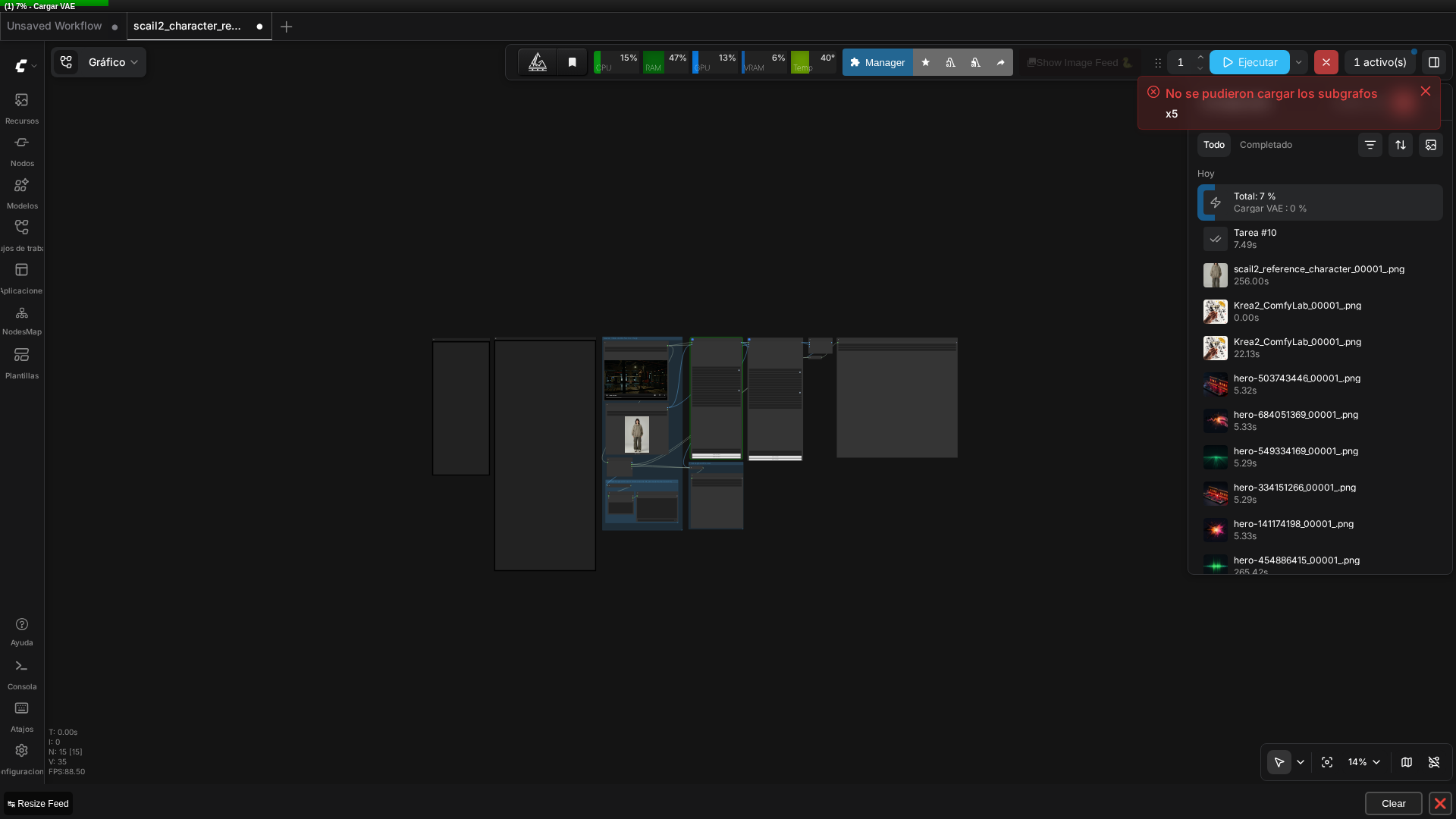 Real screenshot of the graph running in ComfyUI v0.27.0, with the driving video (boxer) and reference image (streetwear) thumbnails loaded.
Models and Storage Requirements
Several large files are required. Here’s what I downloaded for this test:
| Model | Size | Purpose | Source |
|---|---|---|---|
| wan2.1_14B_SCAIL_2_int8_convrot.safetensors | 16.7 GB | Core diffusion model (quantized) | Comfy-Org/SCAIL-2 |
| wan2.1_SCAIL_2_DPO_lora_bf16.safetensors | ~1.2 GB | LoRA refinement | Comfy-Org/SCAIL-2 |
| sam3.1_multiplex_fp16.safetensors | 1.75 GB | Video tracking backbone | Comfy-Org/sam3.1 |
| clip_vision_h.safetensors | 1.26 GB | Image embedding for reference | Comfy-Org/Wan_2.1_ComfyUI_repackaged |
| lightx2v_I2V_14B_480p_cfg_step_distill_rank64_bf16.safetensors | 738 MB | Distilled LoRA for consistency | Kijai/WanVideo_comfy |
The Wan 2.1 VAE and umt5_xxl text encoder were already on disk from earlier work, so the fresh download footprint was approximately 21.4 GB.
Quantization Choice for RTX 3090
I went with int8_convrot (16.7GB) over fp16 (32.8 GB) or fp8_scaled (17.7 GB) because RTX 30-series GPUs have native INT8 tensor core support. Ampere architecture lacks the native FP8 matmul support that fp8_scaled or mxfp8 variants benefit from on newer cards. INT8 is the most efficient choice here. Other untested quantizations exist: mxfp8 (17.2 GB) and nvfp4_mxpf8_mix (11 GB, most aggressive).
This mirrors the quantization strategy I’ve seen with LTXV-2.3 on Ampere—INT8 consistently outperforms FP8 variants on 30-series hardware.
Real Bugs and Fixes
Two reproducible issues blocked execution when I loaded the official template directly:
Bug 1: VAE Filename Mismatch
The template references Wan2_1_VAE_bf16.safetensors, which doesn’t exist. The actual file is named Wan2.1_VAE.pth. ComfyUI threw “Value not in list: vae_name” errors.
Fix: Edit both VAELoader nodes (one in Base, one in Extend) to use the correct filename.
Bug 2: LoRA Subfolder Path
The lightx2v LoRA was organized into a lightx2v/ subfolder. ComfyUI’s file dropdown reflects subfolder structure, so the correct value is lightx2v/lightx2v_I2V_14B_480p_cfg_step_distill_rank64_bf16.safetensors, not the bare filename. Same “Value not in list” error.
Fix: Prepend the subfolder name in both LoraLoaderModelOnly nodes.
⚠️ Important: Both are simple filename-matching issues, but they block execution entirely with a generic error message until diagnosed. Neither is a deep architectural bug, but they’re worth documenting explicitly because template model names don’t always match what ends up on disk after a real download.
Subgraph Loading Toast
A “Could not load subgraphs” toast appeared during template load—the same warning I’ve seen in earlier articles. Unlike those cases (one involved a genuinely outdated custom node pack, the other a legacy subgraph format), this template uses ComfyUI’s real, current native subgraph feature and executed successfully end-to-end once I fixed the two filename issues. This suggests the toast may be a generic cosmetic warning in this ComfyUI version that doesn’t reliably indicate a blocking problem.
👉 Quick takeaway: Two filename mismatches (VAE name and LoRA subfolder path) block execution with generic errors—fix them by editing the nodes to match your actual downloaded files.
Test Setup and Execution
Hardware: RTX 3090 24GB, ComfyUI v0.27.0, 32GB system RAM.
Driving video: A 1920×1024, 25fps, 251-frame boxing-gym video generated with LTXV-2.3 in a previous article—a woman boxer working a heavy bag. I reused it directly, no re-generation.
Reference character: A full-body photo of a young woman in oversized streetwear (hoodie, cargo pants), studio background, 768×1152, generated with Z-Image Turbo (8 steps, res_multistep).
 Real reference character used in this test, generated with Z-Image Turbo.
Pipeline: Only the Base subgraph was executed—a single ~81-frame segment (~6.3 seconds). The Extend subgraph for stitching longer multi-segment videos exists in the template but wasn’t tested.
Execution Timeline and Resource Usage
Total runtime: 571.09 seconds (~9.5 minutes).
- SAM3 tracking: ~13 seconds (visible in console as tqdm progress bar)
- Model loading, sampling, VAE decode: ~558 seconds combined
VRAM staging per component:
- SCAIL-2 diffusion model: 15,881 MB
- Wan text encoder (umt5_xxl): 6,419 MB
- SAM3 + CLIP wrapper: under 1,700 MB combined
- CLIP vision encoder: 1,205 MB
Components load and unload dynamically rather than residing simultaneously. Peak VRAM usage stayed well within 24GB. Post-completion nvidia-smi showed 11.8GB resident (though this is after generation, not necessarily peak). System RAM peaked around 22GB of 32GB—no OOM errors, unlike a separate LTXV-2.3 dev-model test that did hit system RAM OOM.
Output Quality and Results
The output video is 896×512, 25fps, 6.28 seconds (one 81-frame segment). What I got was a genuine character replacement: the same boxing gym (ring ropes, punching bag, overhead lamp, reflective floor) with the same walking and punching motion from the driving video, but the person is now the streetwear-character from the reference image instead of the original boxer.
Scene composition, lighting, and camera framing are preserved faithfully. The identity swap is the only thing that changed. This is a real, working result—not a partial or degraded output, and not a face-swap approximation.
Real video generated with this exact workflow: the original boxer replaced by the streetwear character, same gym and motion.
The test didn’t use the Extend subgraph for multi-segment stitching, so I have no observations about long-video quality or segment seams.
📌 Keep in mind: SCAIL-2 produces genuine full-body character replacement with faithful preservation of scene, lighting, and motion—verified on real hardware with a complete 81-frame output.
FAQ
Q: Does SCAIL-2 require any custom nodes in ComfyUI? A: No. As of ComfyUI v0.27.0, WanSCAILToVideo, SCAIL2ColoredMask, and the full SAM3 tracking node family are all native core nodes. The official template uses ComfyUI’s native subgraph feature to group nodes, but that’s a core UI feature, not a third-party dependency.
Q: Why does SCAIL-2 need SAM3? A: SCAIL-2 needs to know exactly which pixels in the driving video belong to the person being replaced, frame by frame. SAM3_VideoTrack generates that tracking data, which SCAIL2ColoredMask then converts into the pose and reference masks WanSCAILToVideo actually consumes.
Q: Which SCAIL-2 model quantization should I use on an RTX 3090? A: int8_convrot (16.7GB), tested here successfully. RTX 30-series GPUs have native INT8 tensor core support but lack the native FP8 matmul support that fp8_scaled or mxfp8 variants benefit from on newer cards—the same pattern seen with LTXV-2.3’s quantization choices on Ampere.
Q: Why did the official SCAIL-2 template fail to load with ‘Value not in list’ errors? A: Two filename mismatches: the template references ‘Wan2_1_VAE_bf16.safetensors’ but the actual downloaded VAE file is typically named ‘Wan2.1_VAE.pth’, and any LoRA placed in a subfolder (e.g. models/loras/lightx2v/) needs that subfolder prefixed in the node’s value, not just the bare filename.
Q: Can I use my own driving video? A: Yes. Any video with a person moving works as the driving input. The model extracts pose sequences via SAM3 tracking and applies them to the reference character. Scene, lighting, and camera motion are preserved from the original.
Q: How long can the output video be? A: The Base subgraph processes a single segment (81 frames max, ~6.28 seconds in this test’s output at 25fps). The Extend subgraph stitches additional 76-frame segments, anchoring 5 frames from the previous segment for continuity. This test only validated the Base pass, so long-video stitching quality isn’t documented here.
Keep Reading
If you want another local video-generation workflow for comparison, our Wan 2.2 image-to-video guide covers a different Wan-based pipeline. For the LTXV-2.3 text-to-video + 4K upscale pipeline this test’s driving video came from, see our LTXV-2.3 + RTX Super Resolution walkthrough. And if quantization choices like int8_convrot are unfamiliar, our GGUF models in ComfyUI guide explains the underlying trade-offs.
🏆 Our Recommendation
SCAIL-2 in ComfyUI is production-ready for character replacement workflows on RTX 3090 and similar consumer hardware. If you’re doing content creation or visual effects prototyping that requires swapping characters while preserving scene context → SCAIL-2 is the practical choice. It requires no custom nodes, executes in under 10 minutes per segment, and produces genuine full-body replacement (not face-swap approximations). If you’re working with older GPUs or less than 24GB VRAM → test the more aggressive quantizations (mxfp8, nvfp4_mxpf8_mix) first, or consider cloud-based alternatives. For RTX 3090 users, int8_convrot is the optimal quantization choice; for newer Ada/Hopper cards, fp8_scaled variants may offer better efficiency. Start with the official template from the ComfyUI gallery, fix the two filename issues documented above, and validate on a short driving video before committing to longer projects.
Next steps in ComfyUI
Getting started
More video and image AI workflows
- Wan 2.2 in ComfyUI: image-to-video Dual-model MoE architecture, VRAM requirements and real output.
- HunyuanVideo 1.5 in ComfyUI Real install of the I2V 480p step-distilled variant on an RTX 3090.
- 5 local AI video models tested on one RTX 3090 LTXV-2.3, SCAIL-2, Wan 2.1 and Wan 2.2, all benchmarked on the same hardware.
FAQ
- Does SCAIL-2 require any custom nodes in ComfyUI?
- No. As of ComfyUI v0.27.0, WanSCAILToVideo, SCAIL2ColoredMask, and the full SAM3 tracking node family are all native core nodes. The official template does use ComfyUI's native subgraph feature to group nodes, but that's a core UI feature, not a third-party dependency.
- Why does SCAIL-2 need SAM3?
- SCAIL-2 needs to know exactly which pixels in the driving video belong to the person being replaced, frame by frame. SAM3_VideoTrack generates that tracking data, which SCAIL2ColoredMask then converts into the pose and reference masks WanSCAILToVideo actually consumes.
- Which SCAIL-2 model quantization should I use on an RTX 3090?
- int8_convrot (16.7GB), tested here successfully. RTX 30-series GPUs have native INT8 tensor core support but lack the native FP8 matmul support that fp8_scaled or mxfp8 variants benefit from on newer cards -- the same pattern seen with LTXV-2.3's quantization choices on Ampere.
- Why did the official SCAIL-2 template fail to load with 'Value not in list' errors?
- Two filename mismatches: the template references 'Wan2_1_VAE_bf16.safetensors' but the actual downloaded VAE file is typically named 'Wan2.1_VAE.pth', and any LoRA placed in a subfolder (e.g. models/loras/lightx2v/) needs that subfolder prefixed in the node's value, not just the bare filename.