I wanted to know if ComfyUI’s brand-new native support for Uni3C ControlNet (merged into core on July 29) could actually produce a Wan 2.1 video that follows a real camera path, not just a prompt that describes one. Getting there took two real, unglamorous blockers: a checkpoint that doesn’t load as published, and a 3D rendering library that refuses to compile against this machine’s CUDA toolkit. Here’s the full path, including the parts that failed the first time.
At a Glance: Uni3C ControlNet for Wan in ComfyUI
| Aspect | Details |
|---|---|
| What it controls | Camera trajectory (distance, elevation, rotation, offsets) |
| Base model | Wan 2.1 I2V 14B |
| ComfyUI native support since | v0.29.0 (July 29, 2026) |
| ControlNet license | Apache 2.0 (ewrfcas/Uni3C) |
| VRAM used (Wan stage) | ~21GB peak on a 24GB RTX 3090 |
| Point-cloud render stage | Separate, needs pytorch3d — ran in Docker in this test |
| Camera trajectory tested | orbit (360° rotation) |
| Test length | 33 frames, 768x480, 16fps |
What Uni3C ControlNet Actually Does
Uni3C (Unifying Precisely 3D-Enhanced Camera and Human Motion Controls for Video Generation, DAMO Academy/Alibaba, SIGGRAPH Asia 2025) is a ControlNet-style module for Wan that separates camera control from content generation. Instead of writing “camera slowly orbits around the subject” into a prompt and hoping the model interprets it consistently, you give it an actual guidance video: a point cloud generated from your reference image, rendered along the exact camera path you specify (distance, elevation angle, rotation, x/y/z offset, focal length).
ComfyUI merged native support for this on July 29, 2026 (WanUni3CControlnetApply in comfy_extras/nodes_model_patch.py, detected automatically from the checkpoint’s controlnet_patch_embedding.weight key). It applies on top of a standard Wan 2.1 pipeline — no separate base model, no multi-GPU requirement.
👉 The key point: Uni3C doesn’t replace your prompt or your reference image — it adds a third input, a rendered camera-path video, and steers generation to follow it.
Blocker #1: The Published Checkpoint Doesn’t Load As-Is
The natural first step is downloading ewrfcas/Uni3C/controlnet.pth from HuggingFace (Apache 2.0, ~4GB) and pointing ComfyUI’s ModelPatchLoader at it. It fails with a missing-key error.
The reason: ComfyUI’s loader auto-detects Uni3C by looking for flat keys like proj_out.0.weight and controlnet_blocks.0.ffn.0.bias. The raw checkpoint nests almost everything one level deeper, under a controlnet. prefix — controlnet.proj_out.0.weight, controlnet.controlnet_blocks.0.ffn.0.bias. Only controlnet_patch_embedding.* and controlnet_mask_embedding.* are already flat.
The fix is a one-line conversion, run once:
import torch
from safetensors.torch import save_file

sd = torch.load("controlnet.pth", map_location="cpu", weights_only=True)
out = {k[len("controlnet."):] if k.startswith("controlnet.") else k: w.contiguous()
       for k, w in sd.items()}
save_file(out, "wan_uni3c_controlnet_comfy.safetensors")
Drop the resulting .safetensors file into ComfyUI/models/model_patches/ (not controlnet/ — Uni3C uses the generic ModelPatchLoader, whose folder type is model_patches). Confirmed it loads correctly: the server log shows Requested to load WanUni3CControlnet right next to the base Wan model, with no key errors.
⚠️ Important: if you see a missing-key error loading any Uni3C checkpoint into ComfyUI, check for a
controlnet.prefix on its keys before assuming the file is corrupted or the wrong version.
Blocker #2: pytorch3d Won’t Compile Against a Newer CUDA Toolkit
Uni3C ControlNet only steers generation if you already have a camera-path video to feed it. Producing that video from a single reference image is Stage 1 of the official pipeline (alibaba-damo-academy/Uni3C, cam_render.py): monocular depth estimation (Apple’s DepthPro) → foreground/background segmentation (CarveKit) → point-cloud rendering along the requested camera path (pytorch3d).
pytorch3d’s own install docs list official support up to PyTorch 2.4.1. This machine runs CUDA 13.3 with PyTorch 2.12.1 — both far newer. Building pytorch3d from source against that combination failed with a C++ template-parsing error inside PyTorch’s own headers (ATen/core/List_inl.h), thrown by nvcc itself:
error: se necesita 'typename' antes de 'decltype(...)::difference_type'
command '/opt/cuda/bin/nvcc' failed with exit code 1
To rule out a host-compiler quirk, I retried the exact same build forcing an older GCC (15 instead of the system’s 16.1.1) as nvcc’s host compiler via -ccbin. Confirmed applied in the build log — identical failure, same line. That ruled out the host compiler: the error comes from nvcc’s own CUDA-code frontend parsing PyTorch’s headers more strictly than PyTorch 2.12.1 anticipates, not from GCC.
The fix: don’t fight the host toolchain, isolate the dependency. A Docker image pinned to pytorch/pytorch:2.4.1-cuda12.1-cudnn9-devel — PyTorch 2.4.1, CUDA 12.1, exactly pytorch3d’s officially supported combo — compiled pytorch3d 0.7.9 clean on the first try, no patches, no flags:
FROM pytorch/pytorch:2.4.1-cuda12.1-cudnn9-devel
ENV FORCE_CUDA=1
ENV TORCH_CUDA_ARCH_LIST="8.6"
RUN apt-get update && apt-get install -y --no-install-recommends \
    git ffmpeg libsm6 libxext6 libglm-dev
RUN git clone --depth 1 https://github.com/facebookresearch/pytorch3d.git /opt/pytorch3d \
    && cd /opt/pytorch3d && pip install --no-build-isolation -e .
RUN pip install carvekit --no-deps
COPY requirements.txt /tmp/uni3c_requirements.txt
RUN grep -v -E "^xfuser|^ipdb" /tmp/uni3c_requirements.txt > /tmp/req_filtered.txt \
&& pip install -r /tmp/req_filtered.txt(xfuser is excluded on purpose — it’s only needed for Uni3C’s multi-GPU sequence-parallel inference path, not for single-image point-cloud rendering.)
GPU passthrough into the container needed nvidia-container-toolkit (not installed by default on this system), plus generating a CDI spec and pointing Docker’s runtime at it:
sudo pacman -S nvidia-container-toolkit   # or your distro's equivalent
sudo nvidia-ctk cdi generate --output=/etc/cdi/nvidia.yaml
sudo nvidia-ctk runtime configure --runtime=docker
sudo systemctl restart docker
docker run --rm --gpus all nvidia/cuda:12.4.1-base-ubuntu22.04 nvidia-smi   # sanity check
👉 What matters: this isn’t a pytorch3d-specific problem — any CUDA extension built against a bleeding-edge toolkit can hit the same wall. A pinned Docker image is a more reliable fix than chasing compiler flags on the host.
Stage 1: Rendering the Camera Path (Docker)
With the image built (docker build -t uni3c-render .), Stage 1 runs the official cam_render.py against a reference image, mounting the Uni3C repo, an output folder, and the HuggingFace cache (DepthPro and CarveKit weights download automatically on first run):
docker run --rm --gpus all \
  -v /path/to/Uni3C:/workspace/Uni3C \
  -v /path/to/outputs:/workspace/outputs \
  -v uni3c_hf_cache:/root/.cache/huggingface \
  uni3c-render \
  python3 cam_render.py --reference_image "data/demo/rtx_gpu_desk.png" \
                         --output_path "/workspace/outputs/rtx_gpu_orbit" \
                         --traj_type "orbit"
The reference image was generated locally with Krea 2 Turbo (8 steps, cfg 1, euler, simple scheduler, seed 424242) — a deliberate choice matching ComfyLab’s usual desk-and-RGB aesthetic, and one with real depth separation (foreground GPU, mid-ground keyboard, background monitor/lamp) since a flat image gives the point-cloud renderer nothing to work with.
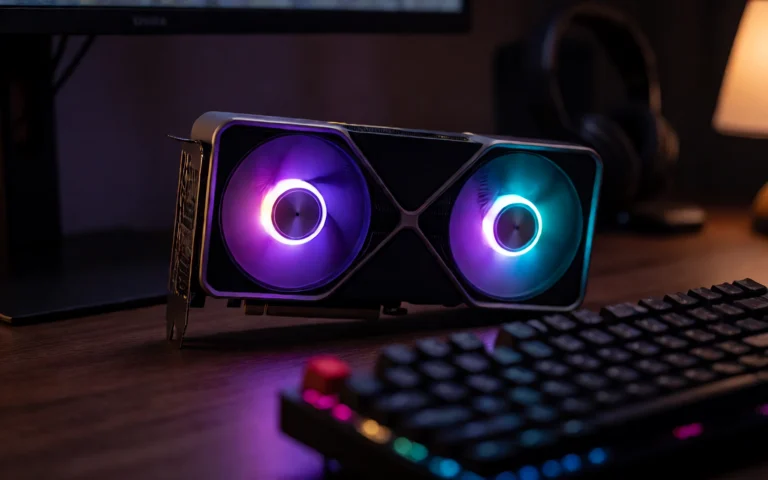
Reference image used for the camera-path render. Real depth separation between foreground, midground and background matters — a flat scene gives the point-cloud renderer nothing to work with.
--traj_type orbit is one of Uni3C’s predefined camera paths: a full 360° rotation around the subject (d_phi=-360, everything else at default). Deliberate, large camera movements read better as a demo than subtle ones — the same lesson from our IC-LoRA Cameraman camera-transfer test.
Output: render.mp4 (81 frames, 768x480, 16fps — the point cloud following the orbit path), plus render_mask.mp4, pcd.ply (the actual 3D point cloud, for inspection), and cam_info.json.
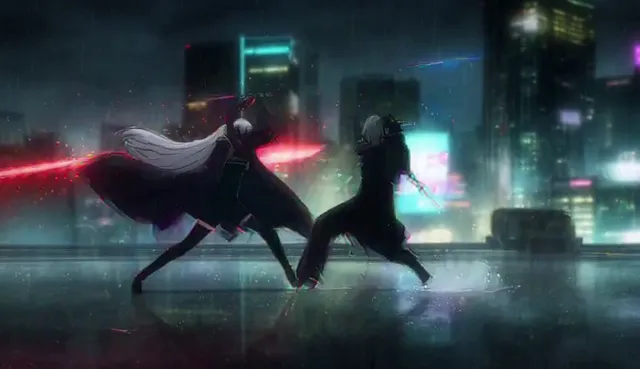
Stage 1 output: the point cloud rendered along the orbit camera path. This is the guidance video Uni3C ControlNet consumes — not the final result.
Stage 2: Wan 2.1 + Uni3C ControlNet (ComfyUI, Native)
Back in ComfyUI (no Docker needed here — this stage runs on the same install as any other Wan workflow), render.mp4 is loaded as a normal video and fed into WanUni3CControlnetApply alongside the base Wan model and the converted ControlNet:
UnetLoaderGGUF (wan2.1-i2v-14b-480p-Q6_K.gguf)
  → LoraLoaderModelOnly (lightx2v distill LoRA)
  → ModelSamplingSD3 (shift 8.0)
  → WanUni3CControlnetApply (+ ModelPatchLoader, + VAE, + render_video from VHS_LoadVideo)
  → KSampler (6 steps, cfg 1, euler, simple)
  → VAEDecode → VHS_VideoCombine
Sanity Check First: Does the ControlNet Even Apply?
Before trusting a full run, I tested the pipeline with a deliberately wrong render_video: the reference image repeated 17 times as a static “video” (no real camera path at all), to check the mechanical pipeline loads and runs without OOM.
Result: it ran clean (VRAM peak 20.9GB, ~2 min), but with zero camera motion in the output. That’s not a bug — it’s confirmation the ControlNet is genuinely steering generation: told “the camera doesn’t move,” it suppressed the motion Wan 2.1 + the distilled LoRA would normally produce on its own. A ControlNet with no real effect would have let some motion through regardless.
The Real Run
Same pipeline, render.mp4 from the actual orbit render this time. 33 frames, 768x480, cold-cache run (fresh ComfyUI process, nothing pre-loaded):
| Metric | Value |
|---|---|
| Total time (load + sample + decode) | 195s (~3.25 min) |
| VRAM peak | ~21GB / 24.5GB (sampled every 15s) |
| Steps | 6 (euler, simple, cfg 1) |
| Output | 33 frames, 768x480, 16fps |
Final result: Wan 2.1 I2V 14B + Uni3C ControlNet, following the real 360° orbit path from Stage 1. Compare against the static-placeholder test above — this one actually moves.
👉 What I learned: the static-placeholder run wasn’t wasted time — it’s the cheapest way to separate “did the ControlNet load and apply” from “did the camera path I fed it produce the motion I expected.” Test with a deliberately-wrong input before trusting a real one.
Workflow Download
🏗️ Workflow: Wan 2.1 I2V + Uni3C ControlNet
This is the ComfyUI-side workflow only (Stage 2) — it expects a rendered camera-path video as input, produced separately via the Docker pipeline described above. The Stage 1 Dockerfile isn’t a downloadable ComfyUI asset (it doesn’t run inside ComfyUI at all), it’s reproduced in full in the “Blocker #2” section above.
Models needed:
| Model | Source | Local path |
|---|---|---|
| Wan 2.1 I2V 14B (GGUF Q6_K) | city96/community GGUF repacks | models/diffusion_models/ |
| Uni3C ControlNet (converted) | ewrfcas/Uni3C + the conversion script above | models/model_patches/ |
| LoRA distilled speed | Kijai/WanVideo_comfy (lightx2v) | models/loras/ |
| UMT5-XXL text encoder | Comfy-Org/Wan_2.1_ComfyUI_repackaged | models/text_encoders/ |
| Wan 2.1 VAE | Comfy-Org/Wan_2.1_ComfyUI_repackaged | models/vae/ |
Frequently Asked Questions
What does Uni3C ControlNet actually control in Wan 2.1?
Camera trajectory. You feed it a rendered guidance video (a point cloud rendered from your reference image along a camera path — distance, elevation, rotation, offsets) and it steers the generated video to follow that same camera motion, instead of relying on the prompt alone to describe it. It’s a native ComfyUI ControlNet (merged into core in v0.29.0), applied on top of the Wan 2.1 diffusion model.
Why doesn’t the raw Uni3C checkpoint from HuggingFace work directly in ComfyUI?
The checkpoint published at ewrfcas/Uni3C nests almost every key under a controlnet. prefix (e.g. controlnet.proj_out.0.weight), but ComfyUI’s native ModelPatchLoader reads flat keys (proj_out.0.weight, controlnet_blocks.0.ffn.0.bias…) without that prefix. Loading it as-is throws a missing-key error. The fix is a one-line conversion: strip the controlnet. prefix from every key that has it and re-save as .safetensors.
Why do I need Docker just to generate the camera-path video?
Because the point-cloud rendering stage (Stage 1 of the official Uni3C pipeline, alibaba-damo-academy/Uni3C) depends on pytorch3d, and pytorch3d only has official support up to PyTorch 2.4.1. On a machine running a newer CUDA toolkit (13.3 here) it fails to compile with a template-parsing error in PyTorch’s own headers, confirmed independent of the host C++ compiler by testing with two different GCC versions and getting the identical failure both times. A container pinned to pytorch/pytorch:2.4.1-cuda12.1-cudnn9-devel, exactly the combo pytorch3d supports, compiled clean on the first try.
Do I need multiple GPUs to run this?
No. Both stages ran on a single RTX 3090 (24GB). The point-cloud render stage doesn’t even touch the Wan model — it’s a separate, much lighter pass (depth estimation + point cloud rendering). VRAM peaked at about 21GB during the Wan + Uni3C sampling stage, with roughly 3.5GB of headroom left.
Is this the same as Uni3C’s human-motion-transfer feature?
No — this article only covers the camera-control half of Uni3C (PCDController, Stage 1+2 of the official repo). The paper also describes a human pose/motion alignment stage (Hamer alignment, listed as not-yet-released on the official repo’s own TODO list at the time of testing) that wasn’t tested here.
Limitations and What Wasn’t Tested
- Single GPU, single test run. Everything here ran once on one RTX 3090. No repeated-run variance data, no other GPU models tested.
- Only the
orbittrajectory was tested. Uni3C exposes seven parameters (distance, elevation, rotation, x/y/z offset, focal length) plus several predefined paths (free1-free5,swing1,swing2,orbit). Onlyorbitwas run end-to-end here. - Docker is a real second environment to maintain, not a one-command install. If your ComfyUI host already runs a PyTorch/CUDA combo pytorch3d supports natively, you may not need it at all — try the plain
pip installfirst. - Human motion transfer (Hamer alignment) wasn’t tested — it wasn’t available in the official repo at the time of this test.
- 33 frames at 768x480 is a modest test resolution/length, not a production-length run.
Conclusion: A Real Native ControlNet, With a Real Setup Cost
Uni3C ControlNet works, and it works natively in ComfyUI without any custom nodes for the actual generation step. But “native support merged into core” doesn’t mean “zero setup” — the checkpoint needs converting, and the camera-path rendering stage needs a dependency (pytorch3d) that doesn’t play nice with a bleeding-edge CUDA toolkit. Docker sidesteps that cleanly, at the cost of a second environment to keep around.
🏆 Our Recommendation
If you want real, controllable camera motion in Wan 2.1 output → Uni3C ControlNet is worth the setup. Convert the checkpoint once, keep the Docker image around for whenever you need a new camera path, and sanity-check any new ControlNet with a deliberately-wrong input before trusting a real run — it’s the cheapest way to catch “loaded but not actually applying” before you burn GPU time on the real thing.
Keep Reading
If camera control specifically is what you’re after, we already covered a different approach on LTX 2.3: IC-LoRA Cameraman v2 camera movement transfer, which transfers movement from a real reference video instead of a parametric camera path. For more on running Wan 2.1 image-to-video on an RTX 3090 without ControlNet, see our Wan 2.1 vs LTXV-2.3 same-scene test. If you want the starting reference image made the same way as the one used here, check our Krea 2 Turbo guide.
Next steps in ComfyUI
Getting started
More video and image AI workflows
- Wan 2.2 in ComfyUI: image-to-video Dual-model MoE architecture, VRAM requirements and real output.
- HunyuanVideo 1.5 in ComfyUI Real install of the I2V 480p step-distilled variant on an RTX 3090.
- 5 local AI video models tested on one RTX 3090 LTXV-2.3, SCAIL-2, Wan 2.1 and Wan 2.2, all benchmarked on the same hardware.
FAQ
- What does Uni3C ControlNet actually control in Wan 2.1?
- Camera trajectory. You feed it a rendered guidance video (a point cloud rendered from your reference image along a camera path -- distance, elevation, rotation, offsets) and it steers the generated video to follow that same camera motion, instead of relying on the prompt alone to describe it. It's a native ComfyUI ControlNet (merged into core in v0.29.0), applied on top of the Wan 2.1 diffusion model.
- Why doesn't the raw Uni3C checkpoint from HuggingFace work directly in ComfyUI?
- The checkpoint published at ewrfcas/Uni3C nests almost every key under a controlnet. prefix (e.g. controlnet.proj_out.0.weight), but ComfyUI's native ModelPatchLoader reads flat keys (proj_out.0.weight, controlnet_blocks.0.ffn.0.bias...) without that prefix. Loading it as-is throws a missing-key error. The fix is a one-line conversion: strip the controlnet. prefix from every key that has it and re-save as .safetensors.
- Why do I need Docker just to generate the camera-path video?
- Because the point-cloud rendering stage (Stage 1 of the official Uni3C pipeline, alibaba-damo-academy/Uni3C) depends on pytorch3d, and pytorch3d only has official support up to PyTorch 2.4.1. On a machine running a newer CUDA toolkit (13.3 here) it fails to compile with a template-parsing error in PyTorch's own headers -- confirmed independent of the host C++ compiler, tested with two different GCC versions with the identical failure. A container pinned to pytorch/pytorch:2.4.1-cuda12.1-cudnn9-devel, which is exactly the combo pytorch3d supports, compiled clean on the first try.
- Do I need multiple GPUs to run this?
- No. Both stages ran on a single RTX 3090 (24GB). The point-cloud render stage doesn't even touch the Wan model -- it's a separate, much lighter pass (depth estimation + point cloud rendering). VRAM peaked at about 21GB during the Wan + Uni3C sampling stage, with roughly 3.5GB of headroom left.
- Is this the same as Uni3C's human-motion-transfer feature?
- No -- this article only covers the camera-control half of Uni3C (PCDController, Stage 1+2 of the official repo). The paper also describes a human pose/motion alignment stage (Hamer alignment, listed as not-yet-released on the official repo's own TODO list at the time of testing) that wasn't tested here.